 Stringer
Work Management for Freelance Editors
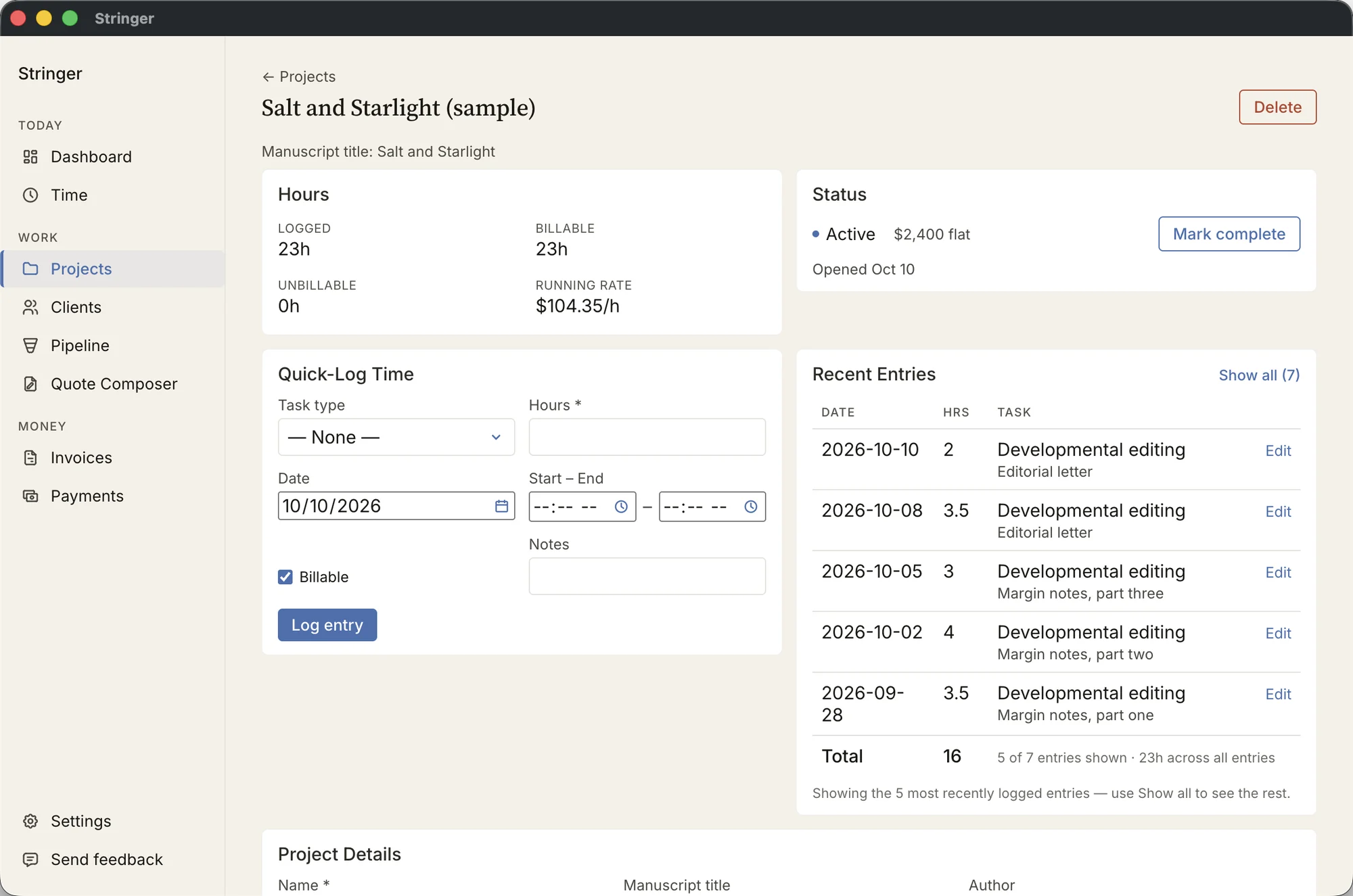
Stringer keeps projects, hours, quotes, invoices, and payments in one place and tracks effective rates and other financial metrics. It runs on your Mac, with no account and no subscription.
Workflow
Organizing What’s on Your Desk
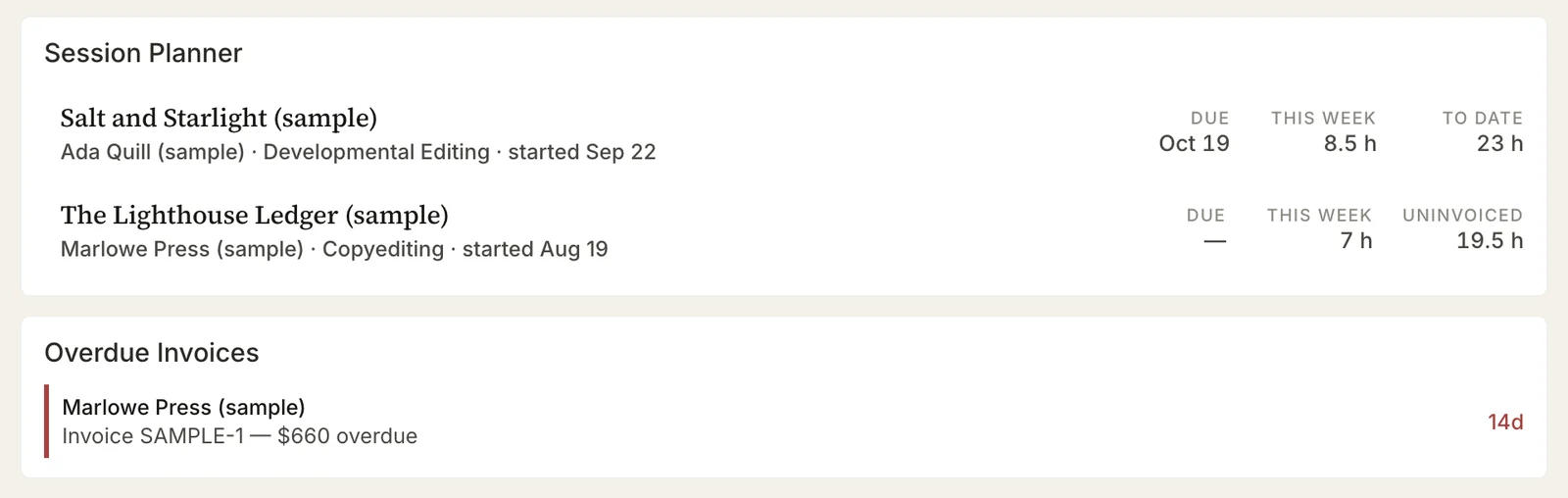
The Dashboard lists every active project with its due date, work done this week, and hours to date or since last invoice. Overdue invoices sit below.
Other panels appear when you have unsent invoice drafts and when last month’s hourly work needs invoicing.
Rates
Calculating Effective Pay and More
Stringer shows the running rate on a flat-fee project’s page while the work is under way. Once the job is paid, it calculates the effective rate. For hourly projects, it calculates the effective rate based on work marked as billable or unbillable.
Across jobs, it shows the effective rate for each service over the last 90 days and what each client has paid this month and this year.

Quotes
Offering Services to Prospective Clients
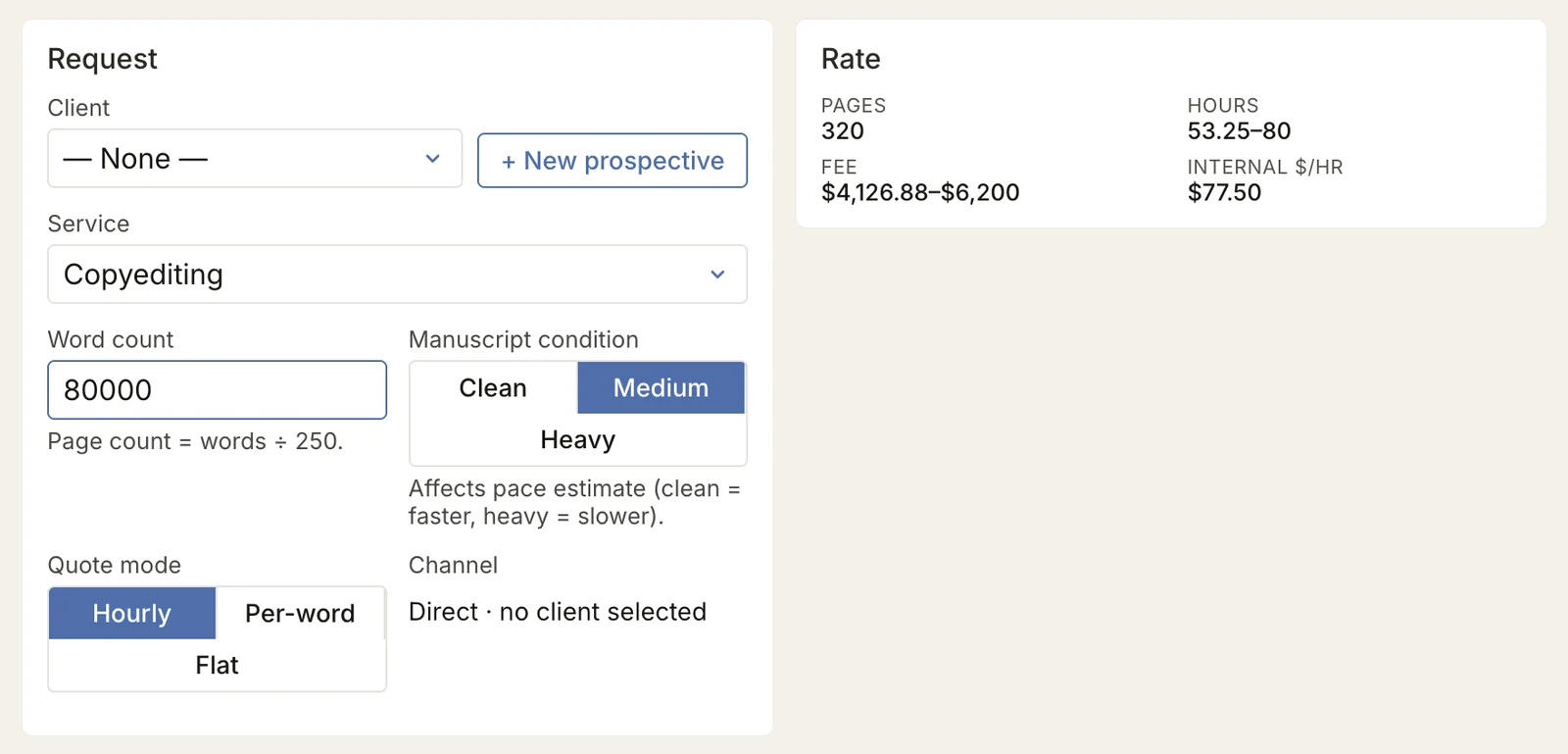
Enter the service, the word count, and the condition of the manuscript. Based on the rates you entered in Settings, the Quote Composer works out a range of hours and a fee. For flat-fee or per-word projects, the composer shows what that fee comes to per hour.
It then sets the figures into your quote letter, ready to copy into an email.
Invoices
Sending Invoices and Tracking What Is Owed
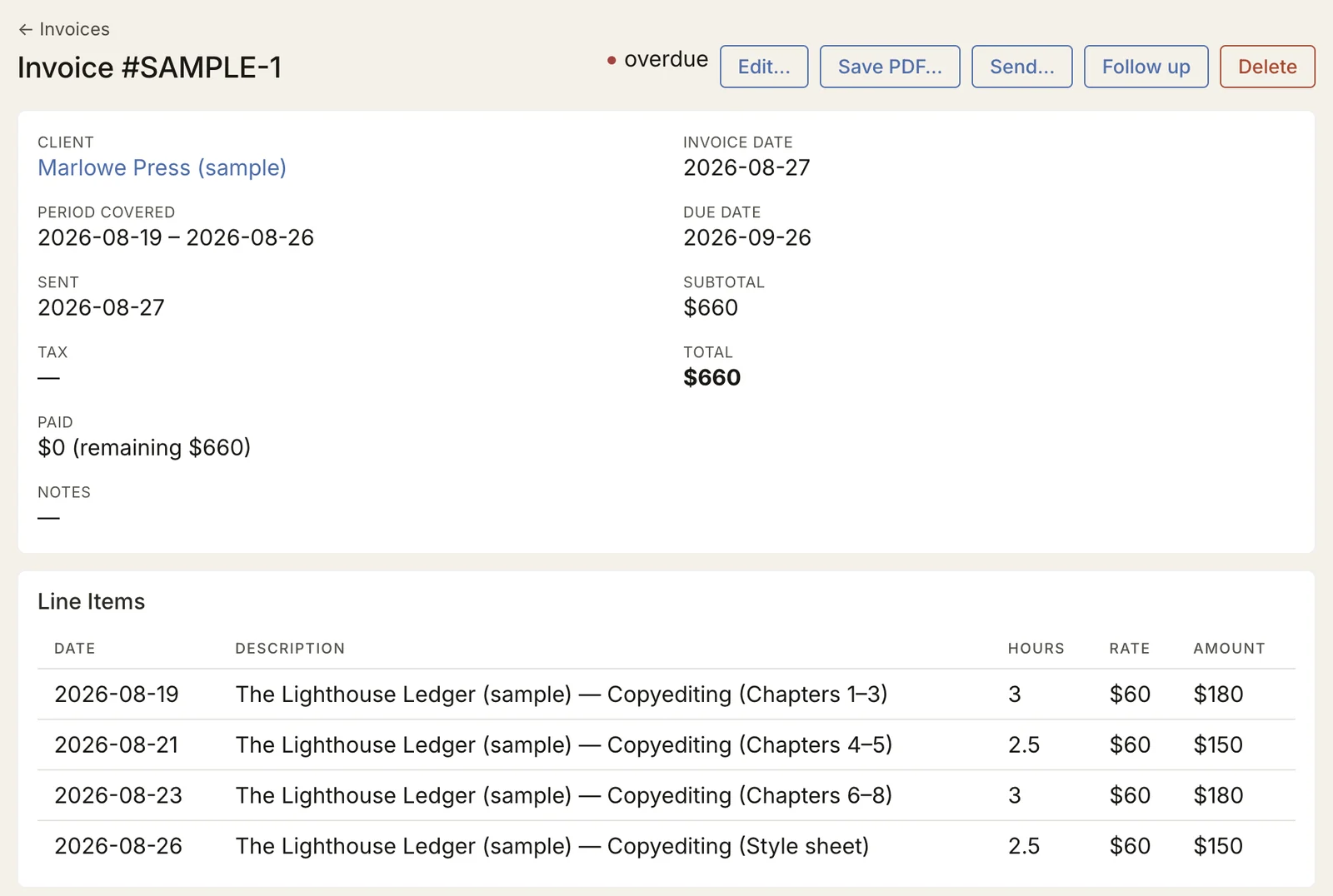
At the start of each month, Stringer offers a draft invoice for every client with hourly work not yet invoiced. A flat-fee job is invoiced from its project when completed. Each invoice saves as a PDF or goes out through Apple Mail.
Payments are recorded against invoices and projects. An invoice past its due date is marked overdue, and a follow-up note is generated from a template you can edit in Settings.
Pipeline
Following Leads
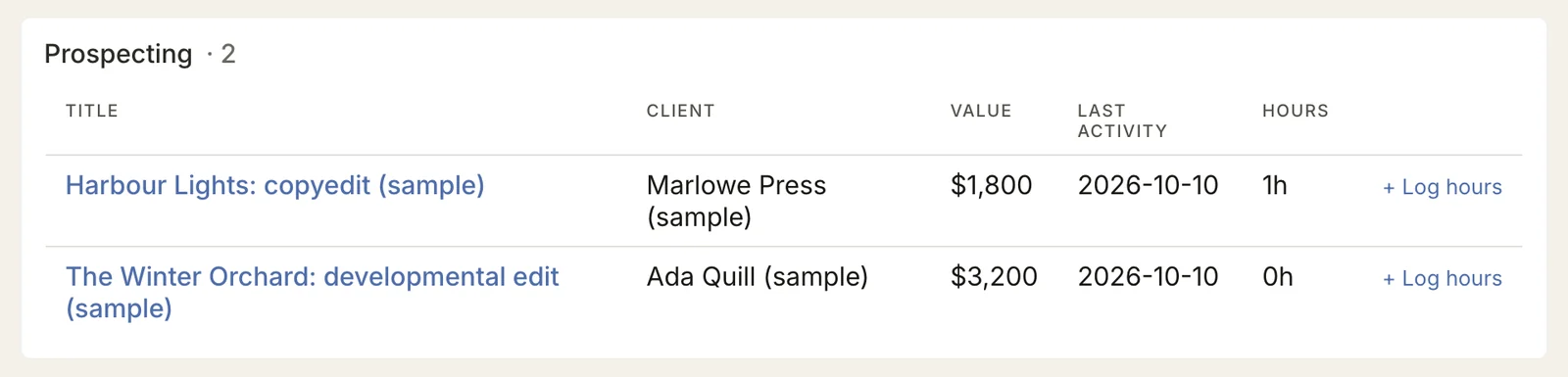
Prospects are kept with their value, their source, and the hours you spend quoting them. When one becomes a job, it becomes a project. Stringer shows, for each source, how many quotes were won and what an hour of quoting returned.
The Particulars
- Price
- $40, paid once. No subscription.
- Your data
- Stored on your Mac and nowhere else. There is no account, and Stringer does not need the internet.
- Requires
- A Mac with macOS 12 (Monterey) or later, Apple silicon or Intel. Not available for Windows.
- Sending
- Invoices go out through Apple Mail. Without it, save the PDF and send it however you like.
- Yours to change
- Task types, services and rates, pipeline stages and sources, quote letters, and follow-up templates.
- Made by
- Matthew M. Perez, a freelance editor, who manages his own editing work on it.